
One API, many providers
Adapters fetch and send through Gmail (OAuth and the Gmail API), Microsoft 365 (Microsoft Graph), and any IMAP and SMTP account. Every client uses the same API; none of them talks to a provider.
Courier sits between you and your mail providers. One server fetches mail from Gmail, Microsoft 365, or any IMAP account and serves one clean API for the web client, agent tools, and apps.

Courier is a full-stack email platform: a proxy server that does the provider work, and clients that never have to. These are the jobs it does today. The web client reads, triages, searches, writes, sends, and manages rules, and the pages below say where each thing lives.
Adapters fetch and send through Gmail (OAuth and the Gmail API), Microsoft 365 (Microsoft Graph), and any IMAP and SMTP account. Every client uses the same API; none of them talks to a provider.
Every message, thread, label, and rule lives in PostgreSQL, with full-text search from a trigger-maintained index. The most recent 1,000 messages per account are kept warm in Valkey, and attachments go to S3 when a bucket is configured.
A message joins a conversation by its References header, then In-Reply-To, then the provider's thread ID, and last by subject within 30 days.
The web client listens to an authenticated stream of server-sent events, so new mail and sync changes show up without a refresh. The header says Live when the stream is connected.
Inbox, Starred, Snoozed, Sent, Drafts, Scheduled, Spam, Trash, Archive, and All Mail, for one account or a unified view across all of them.
A thread folds earlier messages to one line and opens the newest. Quoted text collapses, attachments show as chips, and a warning appears when a sender's address looks like a lookalike or fails its authentication results.
Labels carry a color and can nest. Smart folders are saved searches that fill themselves. They list in the sidebar and open to their own page, and new ones are created through the API or an agent.
Select many messages and archive, trash, star, mark, label, or move them in one step, and switch the list between comfortable, default, and compact density.
A blocked sender never reaches the inbox, because the list is checked when mail is synced. The Settings page manages both lists.
Press G and then I, S, D, T, A, P, or R to jump to the inbox, starred, drafts, trash, archive, spam, or rules. The question mark opens the shortcut sheet.
A CodeMirror editor with a formatting toolbar, a rendered preview, and your signature appended. Courier turns the Markdown into clean HTML when the message is sent.
Sixteen condition fields, thirteen operators, and twenty actions, joined in nested AND and OR groups, with priorities and a stop-processing switch. A rule can also be run over mail that is already in the database.
The server queues scheduled sends, wakes snoozed messages, and holds a send for an undo window. Send shows an Undo toast for that window, and the web client lists what is scheduled and snoozed. Times are set through the API and the agent tools.
Reading, sending, drafting, labels, folders, rules, smart folders, contacts, signatures, accounts, search, and push are all tools an agent can call. Each is a thin adapter over a REST route, and tests fail when the two drift apart.
Semantic search, thread, contact, and topic summaries, commitment and follow-up tracking, reply drafts, meeting briefings, related threads, and suggested rules run on the server and answer through the API. Without a model key each one says it is not configured instead of failing.
Other Renkara tools can send outreach through Courier with proof of the exact content, an approval step, retries, a suppression list, and signed complaint and unsubscribe intake.
Real captures of the running tool, with fictional StrataForge Robotics data. They follow your theme.
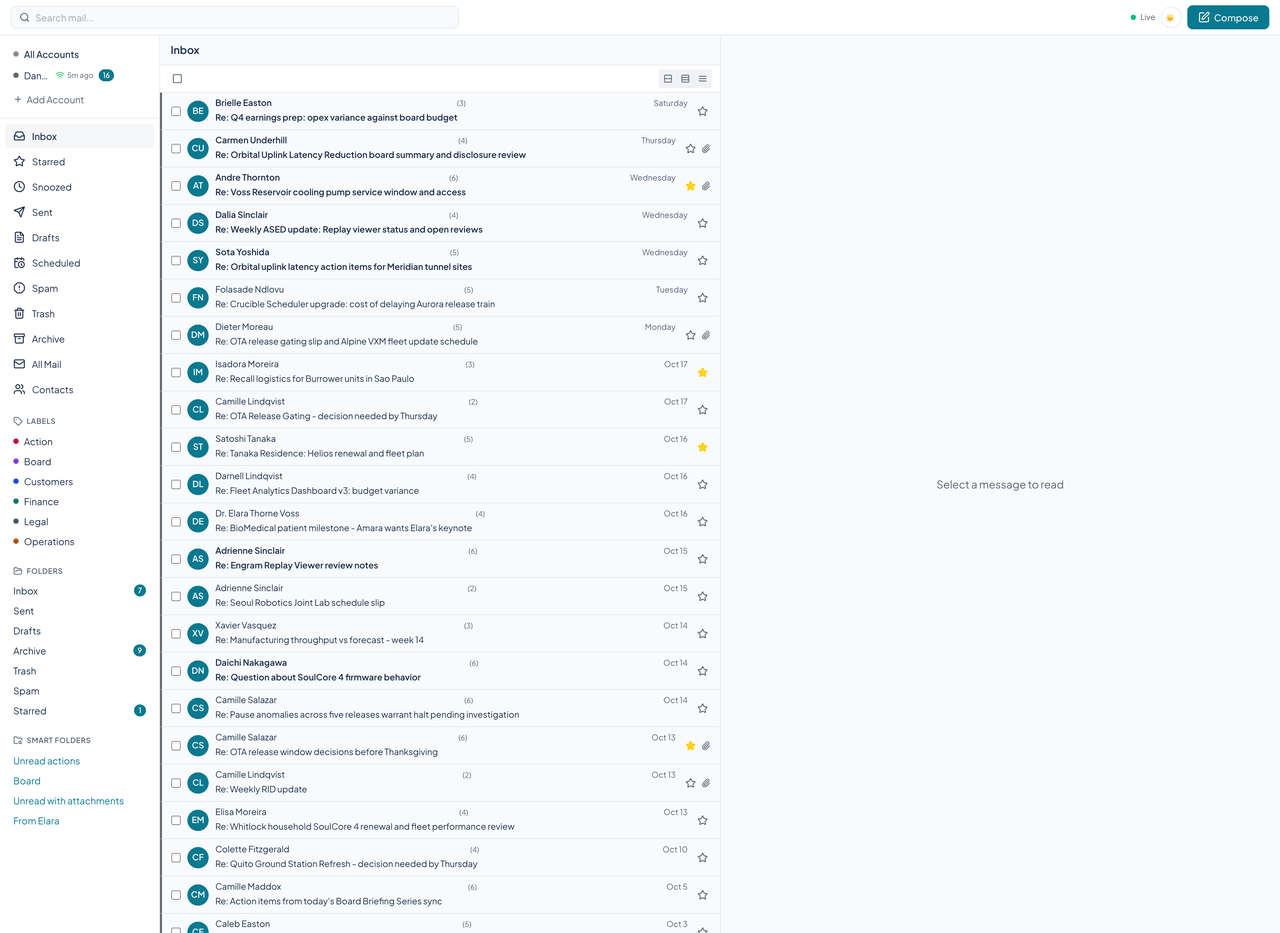
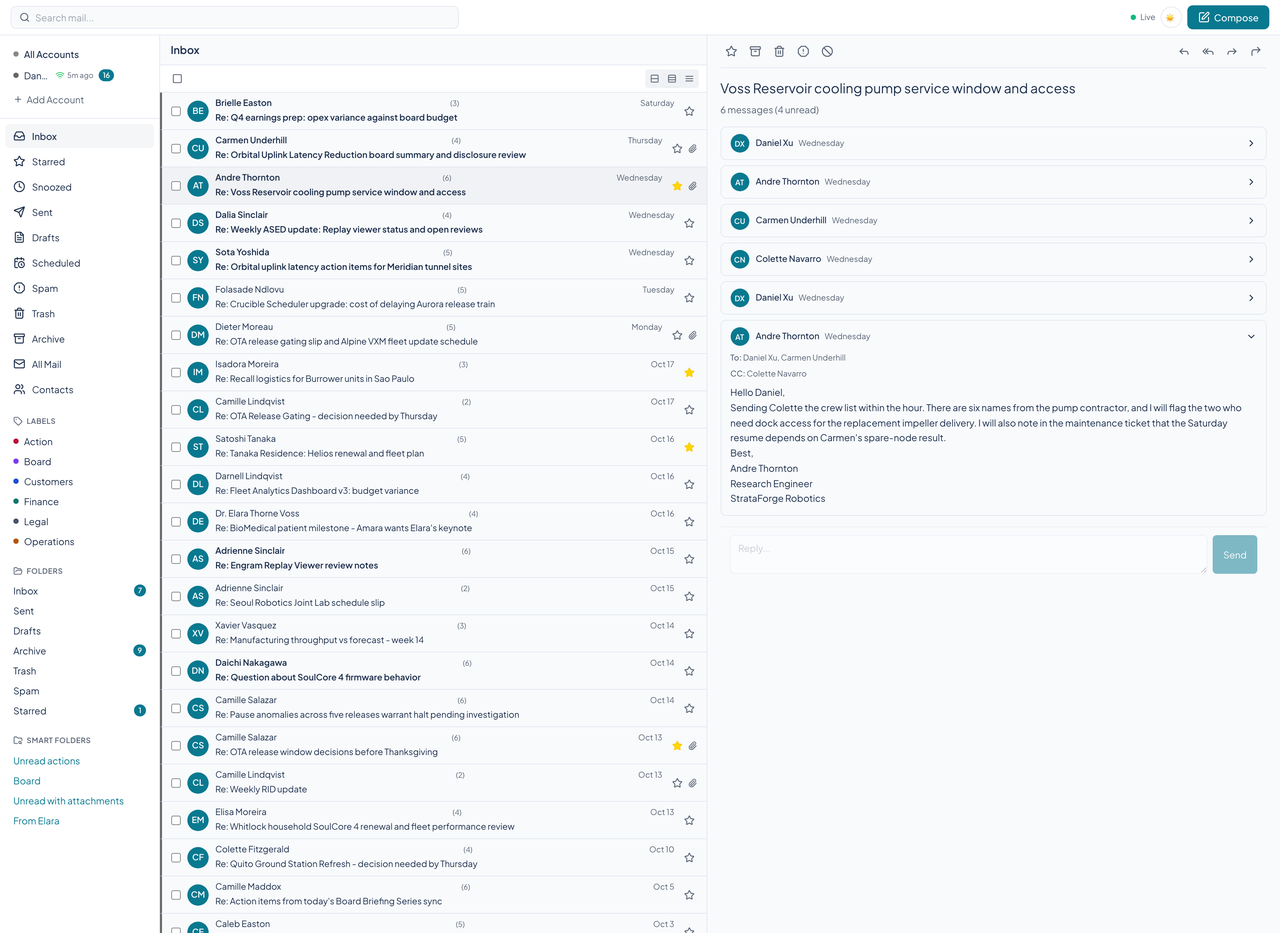
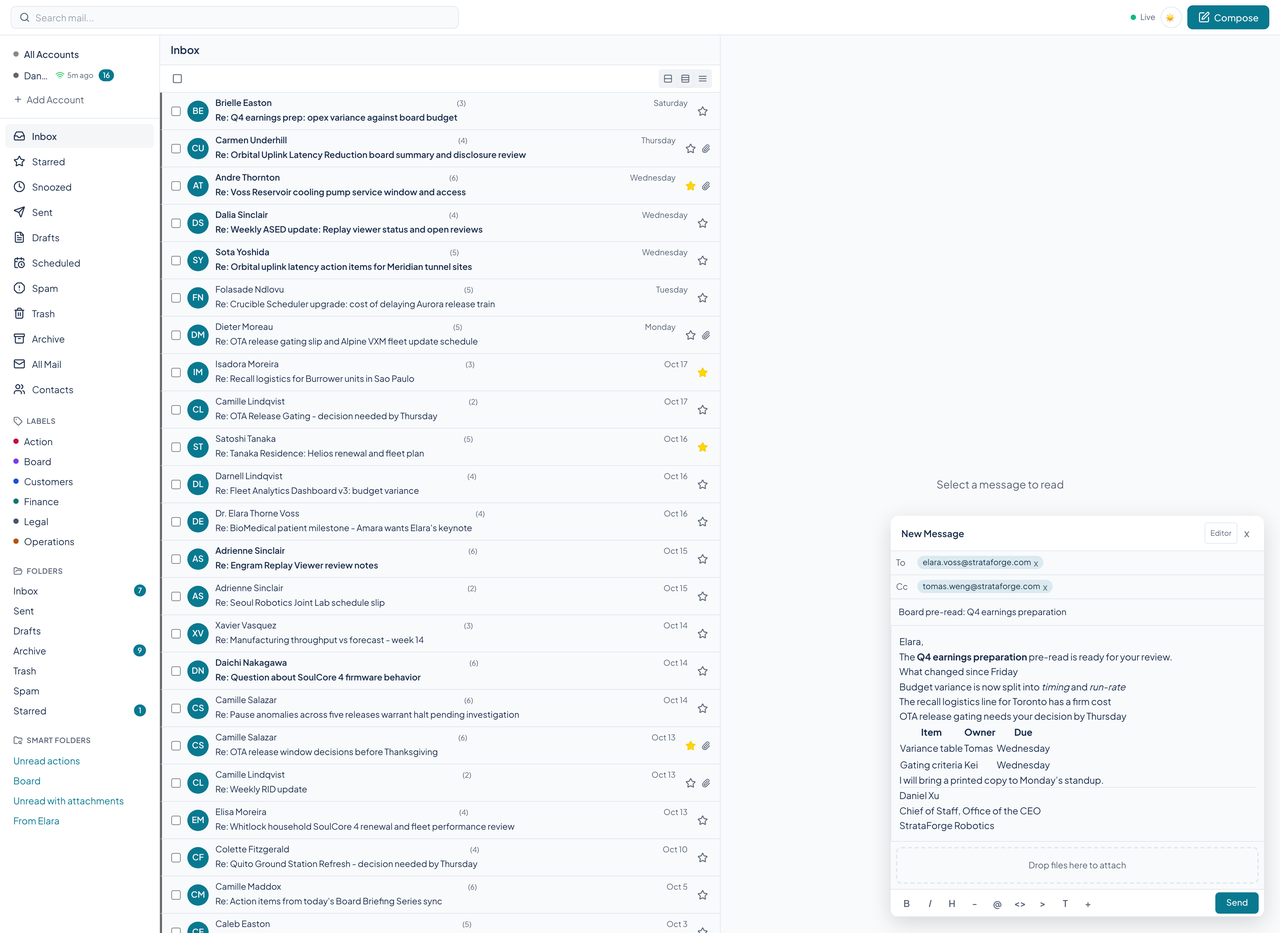
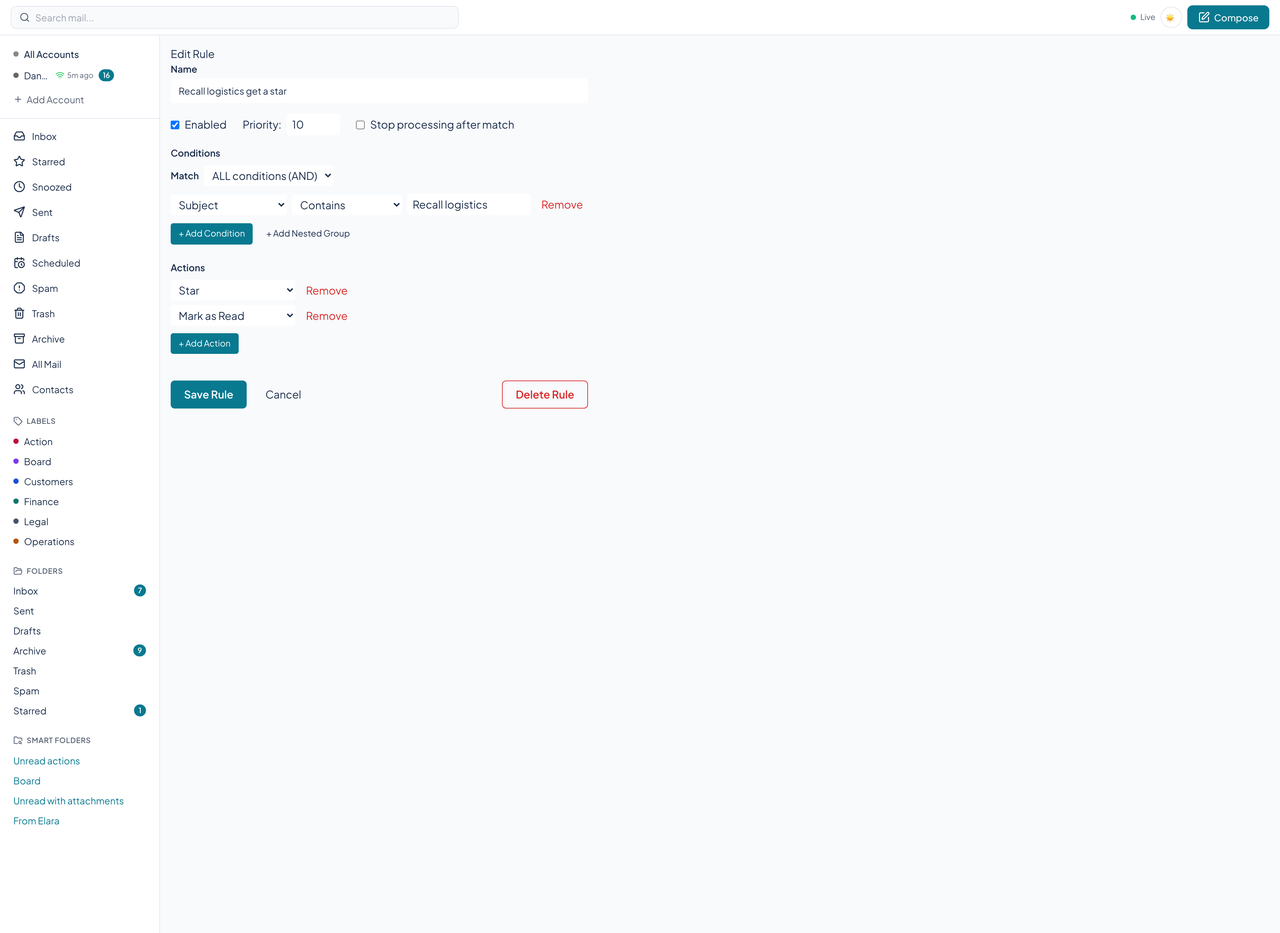
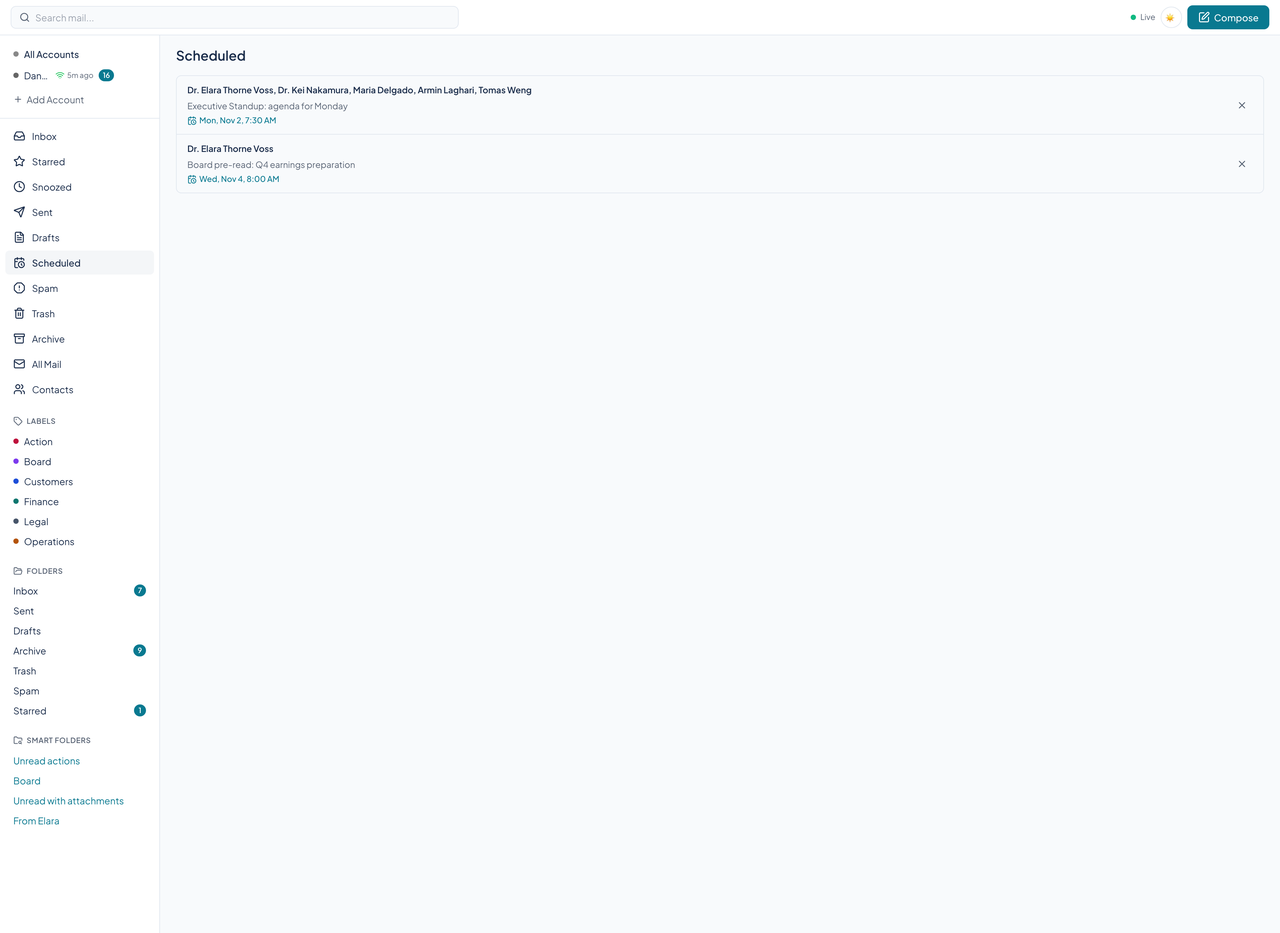
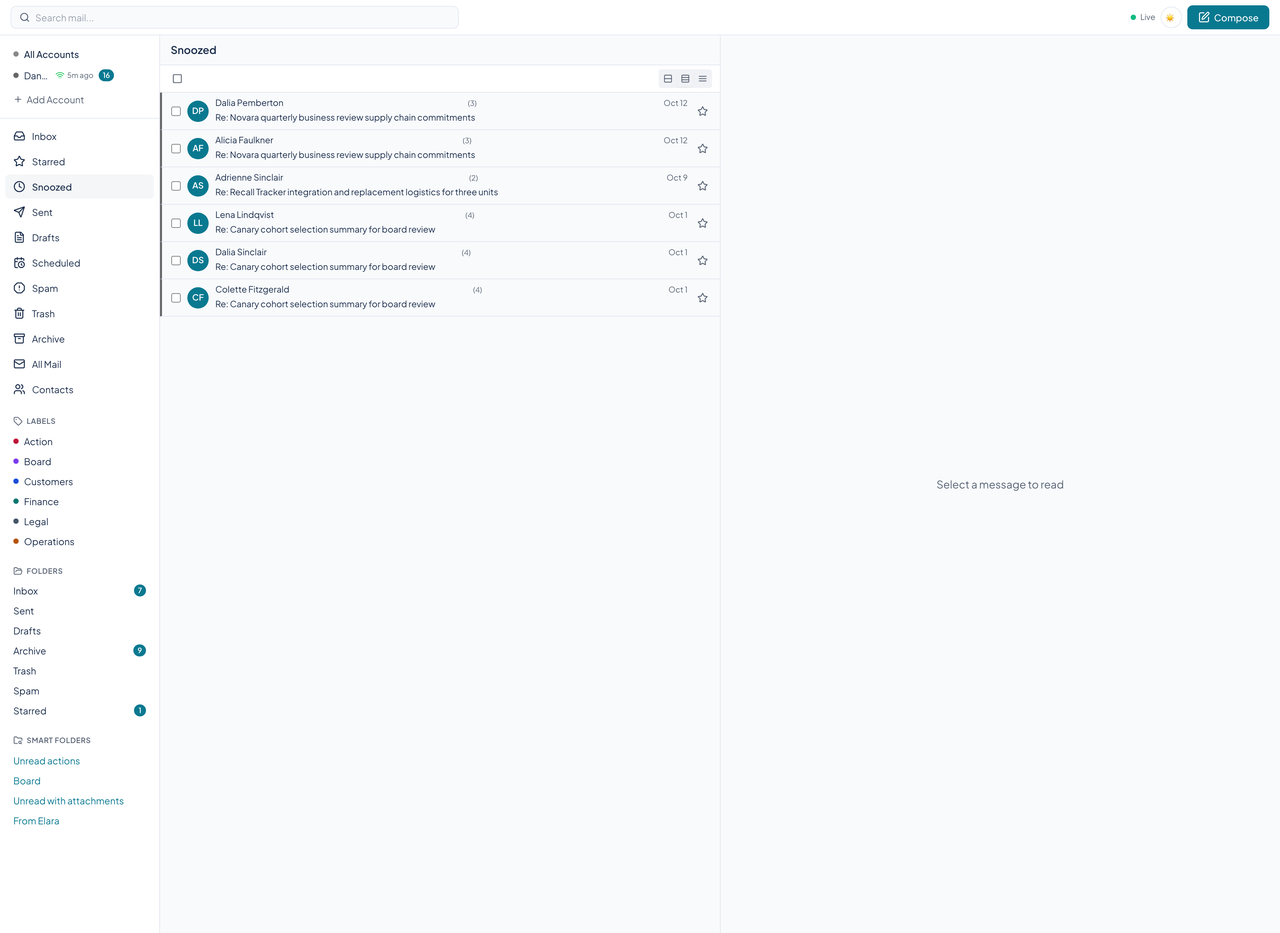
Link a Gmail or Microsoft 365 account through OAuth, or an IMAP and SMTP account with an app password. Credentials are encrypted at rest.
Adapters fetch mail by each provider's own mechanism: Gmail history and push, Microsoft Graph delta and webhooks, IMAP IDLE. Courier normalizes it, threads it, indexes it, and stores it.
The web client, an agent, or a native app reads from Courier's API. Stars, archive, trash, and spam change Courier's copy at once and are written back to the provider.
Rules sort new mail as it arrives. Workers send scheduled messages, wake snoozed ones, and purge old trash, all on the server.
Courier's web client is built on the Renkara design system. On 10/29/2026 we ran axe-core over fourteen states of the running app (the inbox, an open conversation, starred, sent, drafts, scheduled, rules, the rule editor, settings, search results, a smart folder, a reply window, contacts, and the composer) at phone and desktop widths in light and dark, 56 scans in all. It found real problems earlier in the day; we fixed the small ones in Courier, and what is left is listed below as known gaps. We do not claim a WCAG conformance level for the product.
Partly supported
A skip link and a visible focus ring are in place, every message row is a focusable control that opens on Enter or Space, and go-to chords (G then I, S, D, T, A, P, or R) and a shortcut sheet work. Courier defines more single-key shortcuts than the web client connects, so those do nothing. The scan reports no nested controls in the message rows.
Partly supported
The page has landmarks (header, sidebar navigation, main), the Live indicator announces its state, the star buttons and message headers have accessible names, and axe-core's name and role checks pass apart from one button on the contacts page and one unfocusable scrolling pane in the reply window. Courier has not been tested with a screen reader.
Partly supported
After fixes, text and controls pass axe-core's contrast rule in light and dark on every scanned state except one, the name of the open smart folder in the sidebar. The scan found white text on the dark theme's light-teal accent, gray text on a hard-coded fallback color, and red text on the dark surface, and each was fixed in Courier. Only the scanned states were checked, and no one has reviewed contrast by hand.
Partly supported
The header checks the reduced-motion setting before animating, and the design system's global styles switch motion off when it is set. The rest of the app's transitions have not been audited and no test covers it.
Not yet tested
Resizing text to 200 percent has not been tested, and several components set text in fixed pixel sizes.
Partly supported
Below 768 pixels wide the sidebar folds into a menu drawer, the list fills the screen, and opening a conversation replaces it with the reading pane. No scanned state scrolls sideways at 375 pixels. Tap-target size was not measured.
| Server |
|
|---|---|
| Web client |
|
| |
| Search and storage |
|
| Agents |
|
| Quality |
|
Every tool is a thin adapter over a REST route. These are the groups, with the number of tools in each and a few names.
list_messagesget_messageget_threadget_unread_countarchive_messagesdelete_messagessemantic_searchsummarize_threadsummarize_contactsummarize_topiclist_commitmentsget_follow_upscreate_outreach_draftget_outreach_draft_proofapprove_outreach_draftdispatch_outreach_draftcreate_outreach_suppressionlist_outreach_outcomeslist_contactsget_contactupdate_contactmerge_contactsexport_contactsautocomplete_contactssend_messagereply_messageforward_messagecreate_draftupdate_draftsend_draftapply_labelremove_labelmove_to_folderlist_labelscreate_labelget_account_folderslist_identitiescreate_identityupdate_identitylist_signaturescreate_signatureget_default_signaturesearch_messageslist_smart_folderscreate_smart_folderget_smart_folderupdate_smart_folderexecute_smart_folderlist_accountsget_accountcreate_accountupdate_accountdelete_accountsync_accountlist_rulescreate_ruleupdate_ruledelete_ruleget_ruletest_ruleblock_senderunblock_senderlist_blocked_senderslist_allowed_sendersadd_allowed_senderdelete_allowed_sendercheck_service_healthget_diagnosticsget_settingsupdate_settingsregister_push_subscriptionget_vapid_public_keyIn development. It signs in through the system browser and reads mail: a compact list on iPhone, a three-column workspace on iPad, message detail, star, read, archive, and trash, and a chronological conversation with mute.
In development, with the same scope as the iPhone and iPad app: sign-in, mail list, message detail, triage, and conversations.
The shared library under both apps: the API client, typed account and message models, sign-in with PKCE and the Keychain, and thread loading.
No. Your provider still holds the mailbox and delivers mail. Courier syncs a copy into its own database and sends through your provider's servers, so your mail, labels, and rules stay yours if you switch providers.
Gmail and Microsoft 365 through OAuth, and any IMAP and SMTP account with an app password.
Yes. The web composer sends new messages, replies, replies to all, and forwards, and a short undo window lets you take a send back. Agents can do the same through the API and the tools.
A model key. Without one, each AI feature reports that it is not configured instead of failing. There is a monthly budget per account, with a hard stop, and the features answer through the API and agent tools.
They are captures of the web client running locally against fictional data for StrataForge Robotics, a made-up company. No real mailbox was read, and the capture never connects to a mail server.
Write to Renkara Media Group and a person will answer.