
Sort it once. Let the server keep sorting.
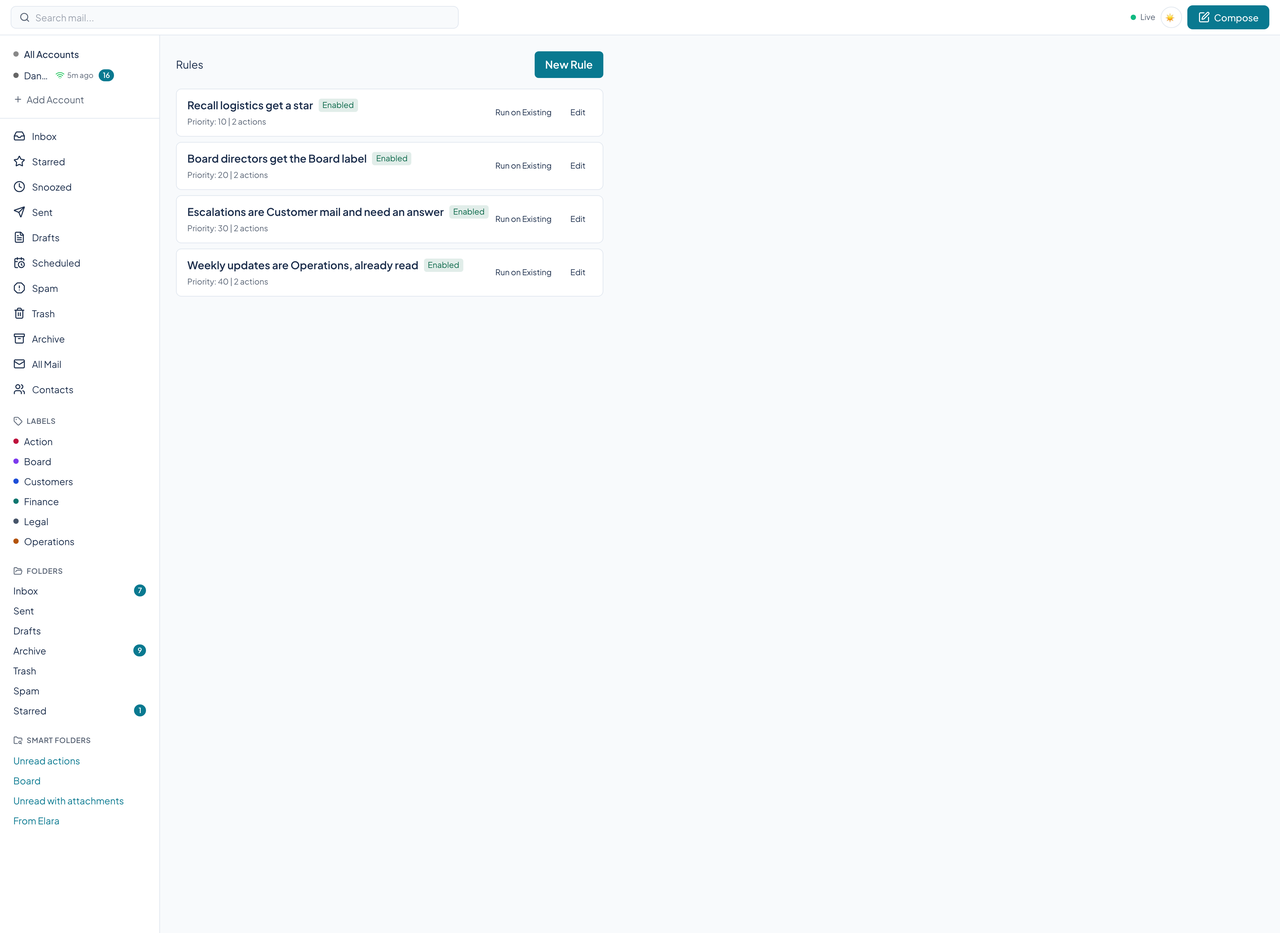
A rule is a set of conditions and a list of actions. Courier checks every new message against your rules while it is synced, on the server, whether or not a client is open.
The builder
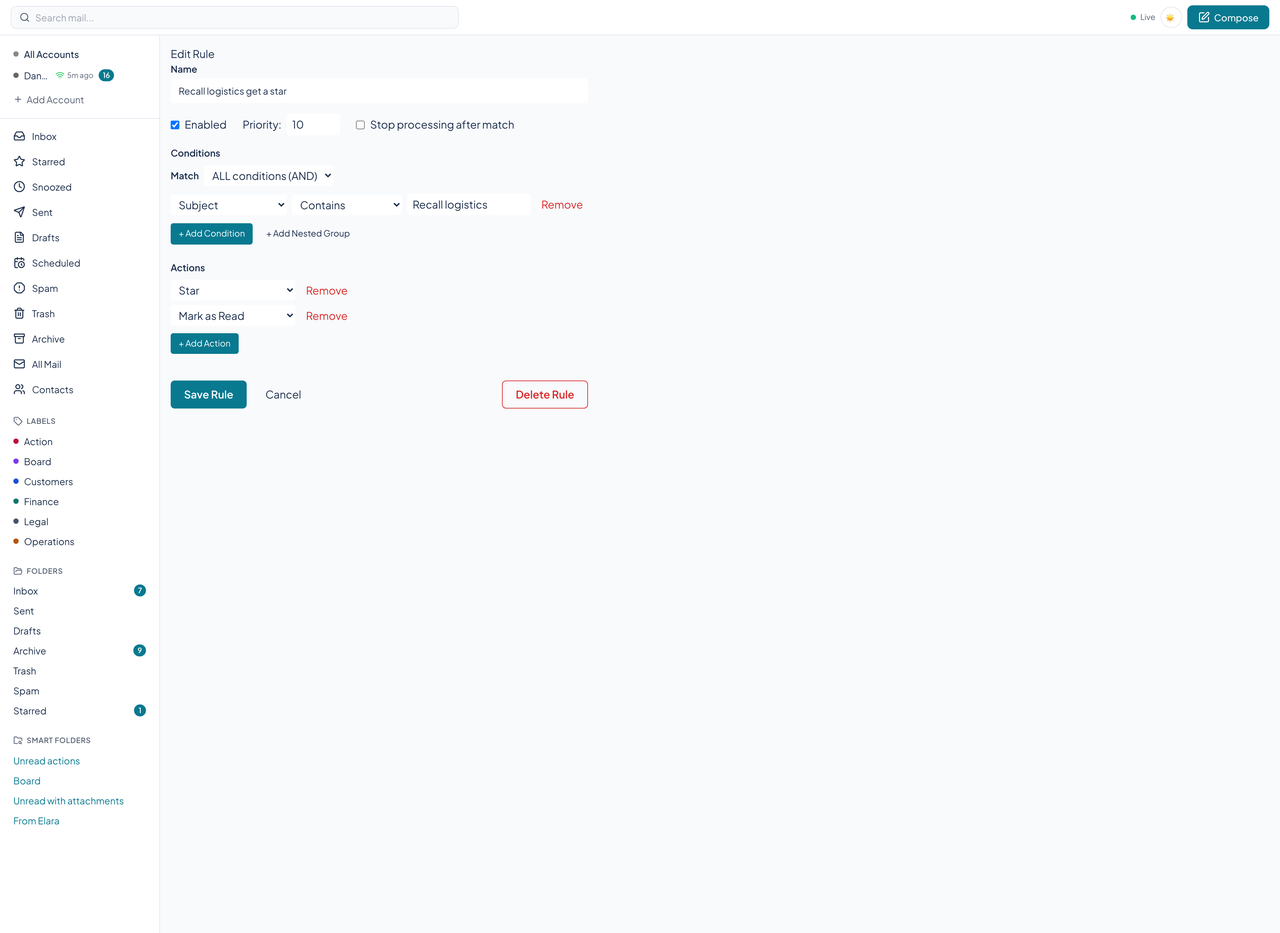
The Rules page lists your rules in priority order with their state. Edit opens the builder: a name, whether the rule is enabled, a priority, and a switch to stop processing after a match. Conditions are rows of a field, an operator, and a value, grouped with ALL (and) or ANY (or), and a group can hold another group.
What a rule can test
Sixteen fields: sender address and name, To, Cc, any recipient, subject, body, has attachment, attachment name and size, message size, date, any header, is a mailing list, account, and importance. Thirteen operators: equals, does not equal, contains, does not contain, starts with, ends with, matches regex, greater than, less than, in list, not in list, is true, and is false. A regex is capped at 500 characters.
What a rule can do
Twenty actions: apply or remove a label, move to a folder, archive, mark read or unread, star or unstar, mark as spam, move to trash, delete permanently, forward, redirect, reply with a template, set importance, snooze, block the sender, send a notification, call a webhook, and ask the AI classifier. Rules run in priority order, and a rule can stop the rest.
Run on existing mail
Run on Existing queues a server job that applies a rule to mail already in the database. To keep it safe it runs only the actions that cannot lose anything: apply or remove a label, move, archive, mark read, and star.
Courier records each time a rule fires, but no screen or API route reads that log back yet.
Suggested rules
A weekly job looks for repeated behavior in what you do with mail and proposes a rule. You accept or dismiss a suggestion through the API or an agent; it needs a model key.
Questions about this tool?
Write to Renkara Media Group and a person will answer.